 It is so awesome that students can use their phones to take pictures or videos for their school projects, but other than email, what is the easiest way to get their media to their computers from their phones? Google Drive! Using the Google Drive App is awesome, but it’s not always a best practice to require students to download an app to their personal devices. So here’s how you can use Google Drive on a mobile device without requiring students to download the app!
This tutorial covers videos, but you would import photos the same way.
Tag Archives: Google
3 Tips to Create Engaging Instructional Videos for Students
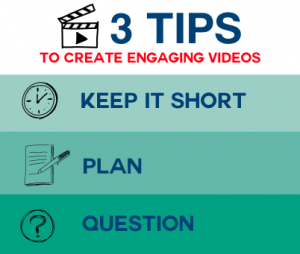
Instructional videos empower learners to study at their own pace so it is no wonder teachers are creating more and more videos to support student learning. But because teachers are making videos doesn’t necessarily mean that the videos are effective. Just because a lecture moves from the classroom environment to youtube doesn’t mean a teacher has now individualized instruction because of the pause button. Here are some tips to create more engaging instructional videos.

In this post by Alice Keeler, she shares that according to Facebook analytics, videos that are over one minute receive far fewer views than than those that are under a minute. She even suggests keeping videos under 30 seconds. I’m just not there yet, but I do agree that many of the instructional videos being made by teachers today are way too long. So how do you make them shorter and still cover all the content?
Create a separate video for each concept. In doing so, teachers can create a playlist of videos which is beneficial for students who need to review a topic. Rather than skimming a long video, students can jump to the video needed. If your school doesn’t have access to youtube, upload your videos to a folder in Google Drive and share the folder with students. Use a naming convention so students will know what order to watch the videos in. A tip from Alice Keeler is to use 001, 002, etc.
Below is an example of a playlist of videos I created to help students learn iMovie. Notice the title of the movie addresses the skill.

Creating instructional videos can take time, but they also save time in the long run, so you might as well do it right the first time (I’m sounding like my parents here). Planning your video helps make sure you include everything in it. It also helps cut down on the ums, and uhs, as you record (this is something I do even with my script!).
There are a number of tools you can use to plan your video. A simple google search of “storyboard” will bring up many different editable storyboards you can use to help you plan. I use Keynote a lot when making instructional videos and use the notes feature for my script. Google Slides and PowerPoint are also great tools for planning.
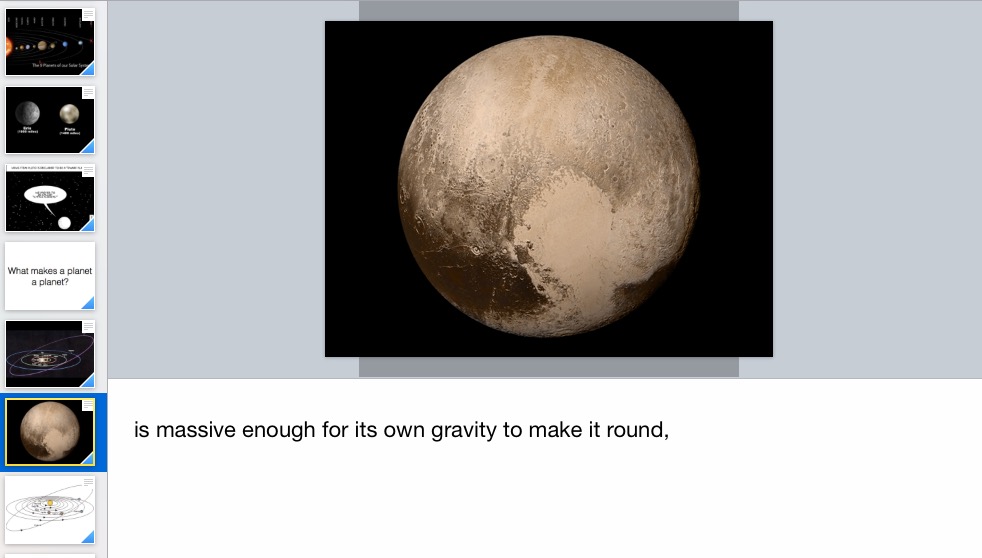

Adding questions to instructional videos helps set expectations for students and provides a context for the video. It is a good technique to engage students as well as assess student knowledge.
Google forms is an excellent tool to create questions and gather responses from students while watching instructional videos. EdPuzzle is a tool many of the teachers at my school use. With EdPuzzle, you can add a variety of interactive questions as well as track student progress. Another strategy is having students come up with their own questions as they watch. Crystal Kirsch from Flipping with Kirsch successfully used the WSQ (Watch, Summarize, Question) strategy with her students when she was in the classroom and saw an overall improvement in student learning. You can read all about how she did it here.
Instructional videos maximize learning efficiency and account for differences in learning styles. What tips do you have for engaging students in instructional video?
Rather watch a video? Here it is!
Google Classroom, OH MY!
 Itʻs FINALLY here! We get to use Google Classroom at Kamehameha Schools! Earlier this month, Google announced Google Classroom is now available across domains. Lucky us! Iʻm on an as I need to know basis so I donʻt have a lot of experience with Google Classroom YET, but Iʻm teaching myself. So why should you have to wait for me when if you want to learn on your own you can too? Here are some great resources to get you started:
Getting Started With Google Classroom
Learn the basic steps of getting started with Google Classroom inside your district’s Google Apps for Education account
50 Things You Can Do With Google Classroom
By Alice Keeler
Marc Nakayamaʻs Google Classroom Resources
60 Smarter Ways to Use Google Classroom
Whatʻs your favorite Google Classroom resource? Please share in the comments below.
Google Research Tool

It’s 2015 and to start off the NEW YEAR I’m introducing TUESDAY TECH TIDBIT. Every Tuesday I’ll post a Tech Tidbit to my blog. In addition, there will be face to face Tech Tidbits!
This week’s #TTTidbit is coming on a Wednesday! Do you know your students can conduct research right in Google Docs? Why yes, yes they can and it’s a piece of cake! View the video below for a tidbit on using the Google Research Tool.
Next week I’ll have a face to face tidbit in Kainoa’s Room at 3:00 focussing on using Google Drive to organize student research. BONUS – everything will be aligned to Common Core. I hope to see you there!
Google Forms in the Classrom
Google Forms in the Classroom
When: Monday, 02/04/2013 @3:10 – 4:00
Where: Elementary Computer Lab
Who: K-8 Teachers
Sign Up: http://goo.gl/9QGxG
Google forms are a useful tool to help you plan events, send a survey, give students a quiz, or collect other information in an easy, streamlined way organized for you in a spreadsheet. You will learn how to create, edit, and share forms, as well as learn different ways forms can be used in the classroom.
Alternatives to PowerPoint
Edutopia has an excellent Summer PD titled, Web Tools Collective Series. I just read Part 4 of the series and my absolute favorite Youtube Video about how not to use PowerPoint was shared:
We’ve all probably experienced this when attending presentations, which is why this video is SO funny. I laugh every time I watch it! So how do we teach our students to give good presentations?
ReadWriteThink and PowerPoint in the Classroom both have excellent resources for teaching kids how to create effective and meaningful PowerPoint presentations. But we also have to remember with the emergence of Web 2.0 tools, there are now FREE alternatives to PowerPoint. Below are just a handful of some of the Web 2.0 Tools that students can use to create presentations:
The beauty of the above tools:
- They’re accessible from any computer, anywhere as long as one has internet connection
- They can been shared with peers, students, parents, etc.
- They allow for collaboration
- They don’t require a flash drive
One important thing to consider when using any Web 2.0 Tool in the classroom is the terms and conditions of the tool. Lucie deLaBruere has put together an excellent resource for information addressing terms and conditions of Web 2.0 tools and privacy policies. Find it here.
What’s your favorite presentation tool? Do you have any student samples you can share?
Google Presentation, Presentation
Here’s a little Google Presentation I made to share some of the features in Google Presentation. Notice how the video and hyperlink are maintained, but not the Incremental Reveal feature:
Excellent Google Form Tutorials
If you already have a Google Docs account, skip to slide 5 in this tutorial by Sam Lam.
Google form tutorial
View more presentations from infomgtaiesec.
Sharing Documents in Google Docs
Click here for a printable version of this tutorial.