
Category Archives: Tips
Chrome Quick Tip – Omni Box Search
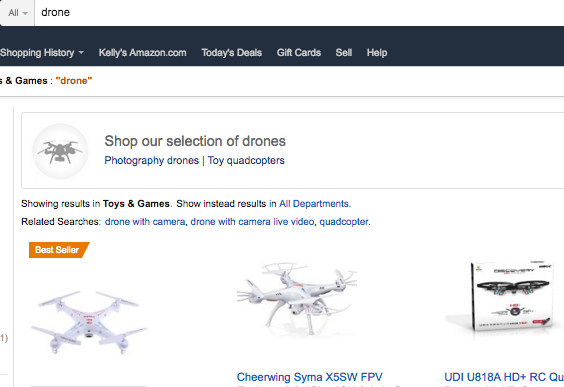
Did you know that you can search within a site from right from the Omni Box in chrome, without adding an extension? Hereʻs how…
- Go to site that youʻve visited before, like
 wehewehe.org or amazon.com, by typing the web address in the omnibox.
 - Once the address is entered, hit the “tab” button on your
 keyboard & type in a search term, then hit “enter”.
 - Your result is displayed


Blogging about a blog
 Just today, I came across an interesting article about blogging in the classroom. While it is focused on K-8 blogging, I thought that some of tips shared and resourses posted could be used by any teacher new to blogging. I particulary like the Guide to Blogging PDF flier. Check it out: http://www.techlearning.com/Default.aspx?tabid=67&EntryId=3307
Why Blackboard?
While getting started in Blackboard can be intimidating for a first time user, there are a  number of reasons to consider using Blackboard in conjunction with your face-to-face courses.
- Place your course materials on the web so that your students have access to your course content 24X7.
- Allow your students to lengthen an engaging discussion that begins in class, but in an online format.
- Give students an online space in which to work on group projects.
- Gain a feel for how your students are understanding your content.
- Have Blackaboard grade your quizzes for you. 🙂
Blackboard is a comprehensive Learning Management System (LMS). While it has many functions, features, bells and whistles, remember, you can always start small.