Maui Middle Test Site 1
KS ConnectFaculty Webmail Google Drive Student Webmail
"Emerging Hawaiian leaders equipped with 21st century skills and grounded in Christian and Hawaiian values."
  • Home
  • Blog
  • About Us
    • KS Maui – 4 Drivers
    • SLIP
  • Academics
    • MS Philosophy – “This We Believe”
    • Course Syllabi 2014-15
    • Faculty Directory
    • Math Team
    • English
    • Science
    • Social Science
    • Hawaiian Language
    • PE / Health
    • Performing Arts / Visual Arts
    • Technology
    • Electives
  • Sports
    • Cross Country
    • Volleyball
    • Basketball
    • Track & Field
    • Golf
  • Nā Haumāna (students)
  • Nā Makua (parents)
    • Enrollment Forms
    • 1:1 Laptop Program info
    • Po’o Kumu Letters
    • Lunch Menu
  • Nā Kumu
  • Kokua
    • Health Services
    • Learning Center
    • Counseling Blog
    • PRC (Print & Repair Center)
Home » Nā Makua (parents) » 1:1 Laptop Program info

Caring for your new laptop

Follow these simple tips to keep your laptop healthy.

DO’S

  • Put your laptop in the soft case anytime you take it somewhere.
  • Inspect the ports where you plug things in to your laptop and make sure they are clear of dust and debris.
  • Wrap your power cable neatly and make sure it doesn’t get tangled.
  • Use a soft towel or cloth to clean your screen and keyboard
  • Follow the rules and guidelines provided by your teacher.
  • Always open your laptop from the middle of the display. If you open it from a corner, it will eventually break.
  • Pay attention to how your classmates are taking care of their laptop. If you see a problem, let them know.
DONT’S

  • Never use water or any cleaner to clean your screen. If it’s really dirty, and a dry towel doesn’t work, ask your teacher.
  • Your computer can’t swim, so don’t take it to the beach!
  • Don’t place drinks next to your laptop while you’re using it. You might accidentally spill it.
  • Don’t eat food over your laptop and make sure your hands are clean before typing.
  • Never leave your laptop unattended outside the classroom. It might run away!
  • Keep the laptop away from an open window when it’s raining.
  • If you get frustrated while working, don’t hit the laptop. Stand up and walk away instead.


MS Instructional Technology Link


Important forms for the 1:1 Laptop Learning Project.

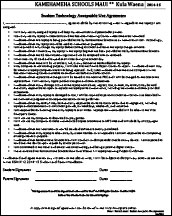
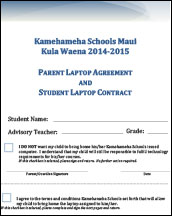
After you have read and signed the agreements, please have you child turn them into their advisory teacher no later than August 29, 2014.
 
1:1 Laptop Learning Project Guidelines Digital Copy for Download 2014-2015 Student Technology Acceptable Use Agreement Download 2014-2015 Parent-Child Computer Agreement Download

What to do if your Apple computer freezes or the spinning rainbow ball won’t go away.

Force Quit

  1. On the keyboard, Press “command” + “option” + “escape” at the same time.  This will bring up the Force Quit Applications box.
  2. Select the application that is “not responding”.
  3. Press the Force Quit button.
  4. Sometimes “relaunching the finder” will also fix problems you may be experiencing.

Force Power Off

  1. Press and hold the power button on the keyboard until the screen goes black.  This should only be done if the above steps did not work.  If it happens more than once, there may be a more serious issue that needs to be addressed and you need to take your computer to the PRC.


Apple ID for Maui Middle School Students

Aloha Middle School Parents,
As part of our new laptop learning project, it is important that each student set up their own school Apple ID.  You will receive an email from Apple on Friday, 7/25 requesting that you set up a school Apple ID for your child.  Please refer to the letter which was mailed out on Wednesday, 7/23 for instructions on how to do this.  You will need this letter to set up your child’s Apple ID as there is information in the letter regarding the password that should be set for this Apple ID.   If you have not yet received the letter, please wait until Monday, July 28th before notifying the school office.  It is important that the school Apple ID be set up by August 6th.  Mahalo!

Links

  • 2014-15 Student and Parent Handbook
  • 2015-16 School Calendar
  • Daily Bulletin
  • Daily Dress Code Guidelines
  • KS Connect/Progress Report
  • KSM Google Apps
  • KSM Headmaster Blog
  • Middle School Forms
  • Middle School Learning Center
  • MS Counseling Blog
  • MS Staff Only
  • Parents & Community
  • PC 2 Mac Blog

Contact

Kamehameha Schools Maui
281 ‘A‘apueo Parkway
Pukalani, HI 96768

Middle School Office: 572-4200
Absence Hotline: 572-4333
Fax: 572-4250
Admissions: (808) 572-3133

Location

Maui Campus Map

Other KS Divisions

KS Maui Elementary School
KS Maui High School

www.ksbe.edu
KS Hawai'i
KS Kapālama

Kamehameha Schools © All rights reserved. Statements of Privacy, Copyright, & Disclaimer.