If you would like to revert back to Preview as the default PDF Viewer on your laptop, please follow the guide below: Set Preview as Default PDF Application Guide for macOS For reference, the image below is what Adobe Acrobat …

This help guide is to show how to log in on the iPad and Mac Laptop with the KS-Issued Apple ID. Doing so will allow the iPad to automatically sync with the Laptop to share Photos, Safari Links, and other …
This help guide will show how to convert .HEIC photos taken on the iPad to .JPG photos using the Preview App on a Mac Laptop. This will help with importing photos into Google Drive & Docs, MS Word, etc.It will …

🔗Professional Virtual Learning Conferences (UPDATED MONTHLY!) Explore helpful resources, practice new skills, and reflect on ways Apple technology can support great learning and teaching. Hosted by Apple Professional Learning Specialists, these hands-on sessions run for approximately 60 minutes and are …


Click here for instructions: https://blogs.ksbe.edu/eceedtech/files/2021/03/Instructions-for-Background-Image-in-Teams-Meeting.pdf
1) Download the following KG Primary Font File KG Primary Fonts 2) Here are the directions for adding the font to your “Font Book” on your Mac:
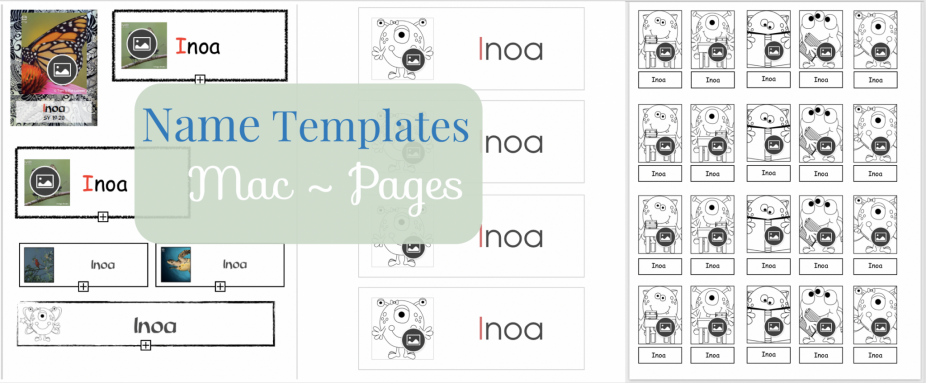
Welcome Back to School Kumu! I want to share this link to a Google Folder filled with some MAC Pages templates for you to create keiki labels with and without photos. When you open the folder be sure to download all …
Click here for instructions from Apple on How to Print Your Pictures Directly from the “Photos” application on Mac.