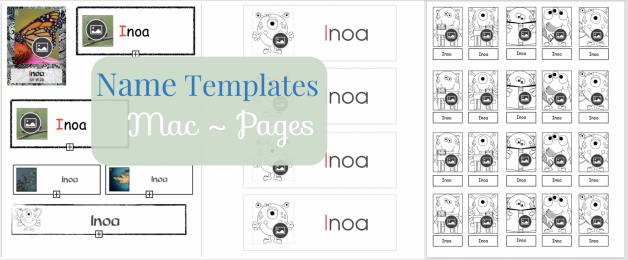
Welcome Back to School Kumu! I want to share this link to a Google Folder filled with some MAC Pages templates for you to create keiki labels with and without photos.
- When you open the folder be sure to download all of the files that you would like (it will not open the file when you double click, it will only give you an option to download. Select the BLUE DOWNLOAD button).
- As soon as you open the file from your “Downloads” folder, select File>Save as Template and give it a name. This will allow you to always keep a clean copy of the file.
- *Tip* Upload keiki pictures from your camera to “Photos” before you begin.
- While in the document: To add a picture, simply select the black circle in the lower right hand corner and a “Photos” box will open. You can select the keiki picture and it will fit in the box.
I want to thank Kumu Maile and Kaulana for sharing some of their templates to share with you all. If you have any “Beginning of the Year” templates that you would like to share, please feel free to email me and I will give you access to the Google Folder to upload to or you can email them to me directly.
If you need an overview of how to do the above steps, I am happy to do a meeting online with you and I can walk you through the steps. 💕